
Retriever
Retriever runtime
Build robot agents whose perception, reasoning, and control run at their own clocks.
Retriever is a programming model and runtime for closed-loop, asynchronous robot agents. Compose typed Flows on explicit clocks, and let each edge declare how it samples its inputs. Given the same ordered timestamped input history, deterministic Flows produce the same discrete-event output history. That makes stepping, recording, and replay part of the normal workflow.
Mental model: PyTorch composes nn.Modules that run now. Functional reactive programming treats values as changing over time. Retriever brings that shape to robotics: typed Flows run on explicit clocks, consume one synchronized input record, and keep local state in one place.
Quick Start
Section titled “Quick Start”If you just want to see Retriever do something visible, start here. This installs the runtime package, opens a 60-second webcam color detector, and logs the camera stream plus bounding boxes to Rerun.
Hold up a red or blue object. You should see the live image in Rerun with boxes under camera/image/boxes.
If the camera or viewer gets in the way
Use the repo smoke test. It skips camera permissions and GUI windows, feeds synthetic red and blue frames through a small Camera -> ColorDetector -> Display graph, and prints detections to stdout.
git clone https://github.com/openretriever/retriever.git
cd retriever
retriever install –bootstrap-pixi
retriever run webcam-mock
retriever-core is the PyPI distribution. The import package and CLI command are still retriever. See Install for the package/source split.
Why use Retriever for robots?
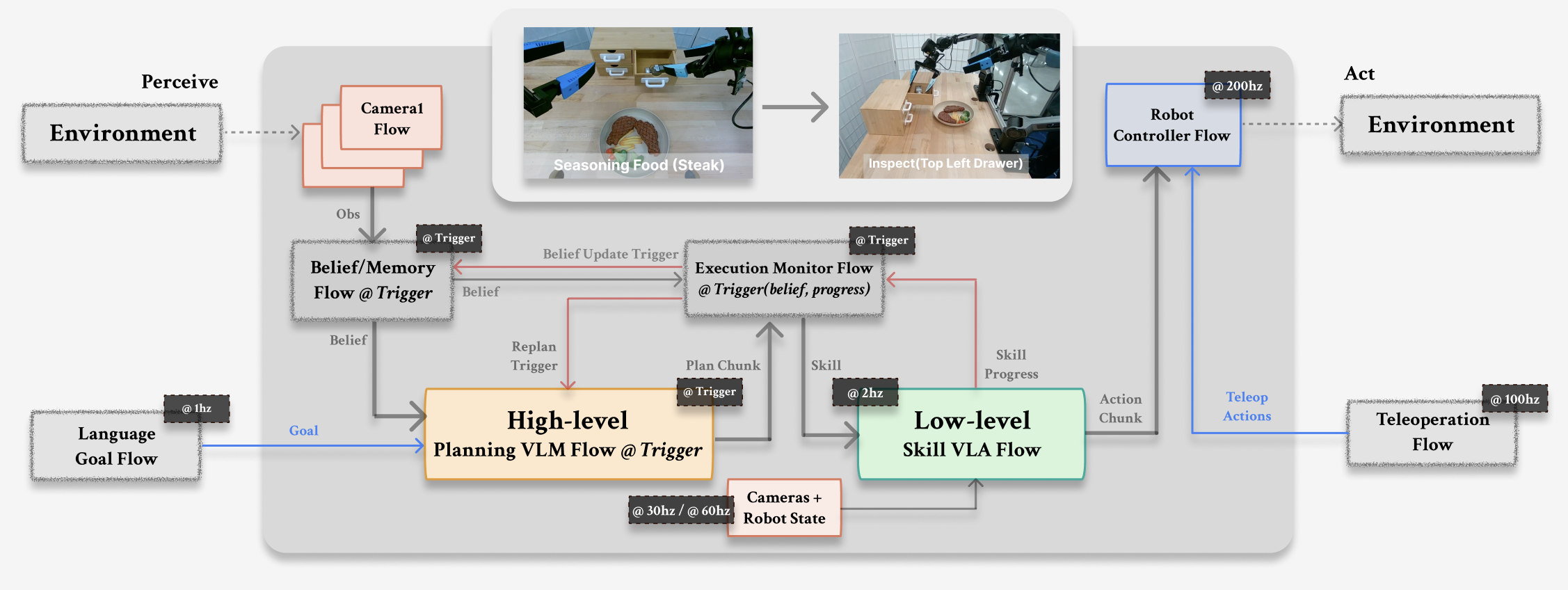
Section titled “Why use Retriever for robots?”Robots do not run like one clean Python loop. A camera might produce frames at 30 Hz, a model call might pause for hundreds of milliseconds, and a controller still has to keep moving. Retriever gives those pieces one graph without hiding timing inside callback code.
Flows are ordinary Python. Put perception, memory, planning, skill monitors, and controllers in typed classes with step(…). The graph stays readable.
Time is explicit. A camera, a model call, and a 200 Hz controller can run on different clocks without pretending there is one global timestep.
Handoffs are named. Each edge says whether a Flow sees the latest value, a time window, or another sync policy before step(…) runs.
You can debug before touching a robot. Render the graph, step it in-process, print stdout, open Rerun, record inputs, and replay the same run.
The backend comes later. Start in-process. Move to multiprocessing or Dora when the graph is stable.
How Retriever Compares
Section titled “How Retriever Compares”The full positioning matrix lives on Why Retriever. Keep the homepage short: Retriever is for closed-loop robot agents where typed modules, explicit time, local debugging, and replay matter together.
Guides
Section titled “Guides”Common Patterns
Section titled “Common Patterns”| Need | Start with |
|---|---|
| First reliable smoke | retriever run webcam-mock |
| Live visual path | retriever demo webcam --seconds 60 --visualize rerun --refresh |
| Smallest Flow mental model | retriever run basic-flow |
| Graph inspection | retriever run graph |
| Record and replay | retriever run record then retriever run replay |
| Hub ref inspection | retriever hub parse openretriever/hello-world:HelloFlow then retriever hub inspect openretriever/hello-world --json |
| Applied robot examples | GoldenRetriever first proof, then the example catalog |
For checkpointable debugging, use the Python stepping API: Pipeline.step(...) or the top-level retriever.step(...) helper on the active pipeline. Saved IR/HTML is for inspection and reproducibility. Python remains the executable graph source.
The Four Objects
Section titled “The Four Objects”step(…) method.ClockEach Flow declares when it runs. There is no global robot timestep.Sync policyEach edge declares how upstream event history becomes one aligned input.PipelineThe graph that validates, visualizes, steps, replays, and runs.For AI Agents
Section titled “For AI Agents”Agents should start from llms.txt, then follow the Visual Quickstart before changing code. Use Examples and Results for expected outputs and Debug and Visualize for graph/render/replay commands.